
Post Desk
Edit a social post's photo in Canva and bring the finished design back to the post.
How it works
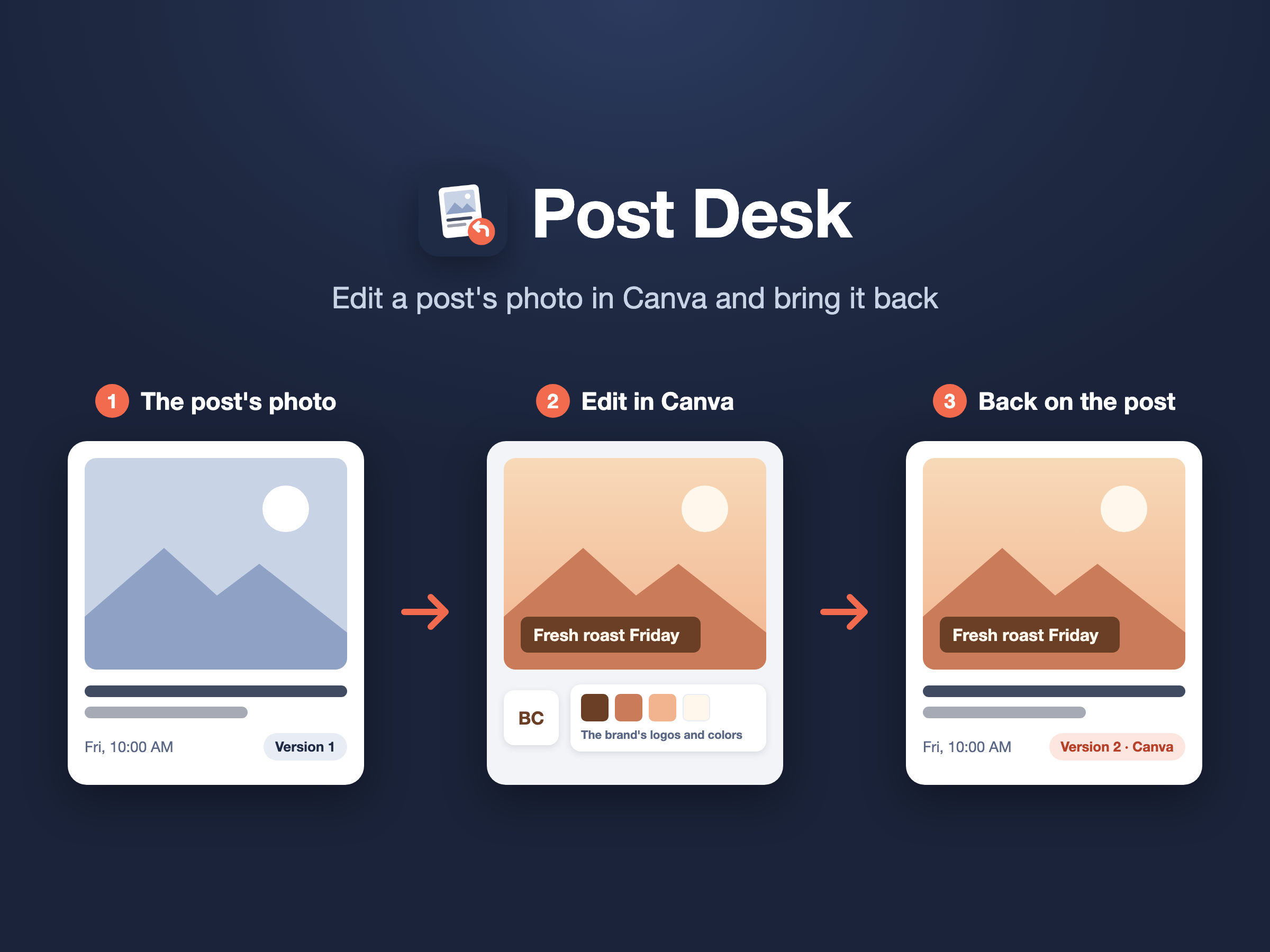
- In your social media service, open a post and choose Edit in Canva.
- The photo opens in your own Canva as a new design, with the brand's logos and a card of its colors beside it.
- Edit it, then press Return in Canva. The finished design goes back to the post as its new version, and the earlier one is kept.
Getting started
Post Desk isn't something you sign up for here. It works from inside the social media service your team already uses.
The first time you choose Edit in Canva, you'll be asked to connect your Canva account. You can disconnect it at any time from your own settings in that service, or from your Canva account's connected apps.
Your Canva account
Post Desk only works with designs it creates for you. It uploads the post's photo and the brand's logos and colors, creates a design from them, and exports the finished design when you press Return. It doesn't read or change your other designs.